
屢獲殊榮的TMPGEnc 4.0 XPress後繼者TMPGEnc Video Mastering Works 5!
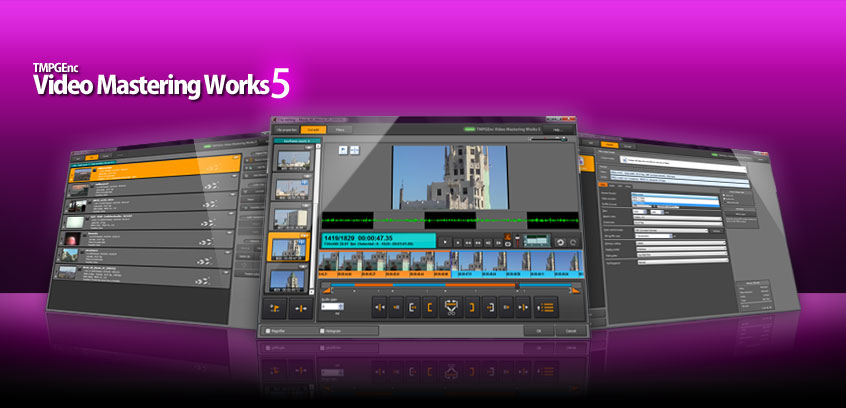
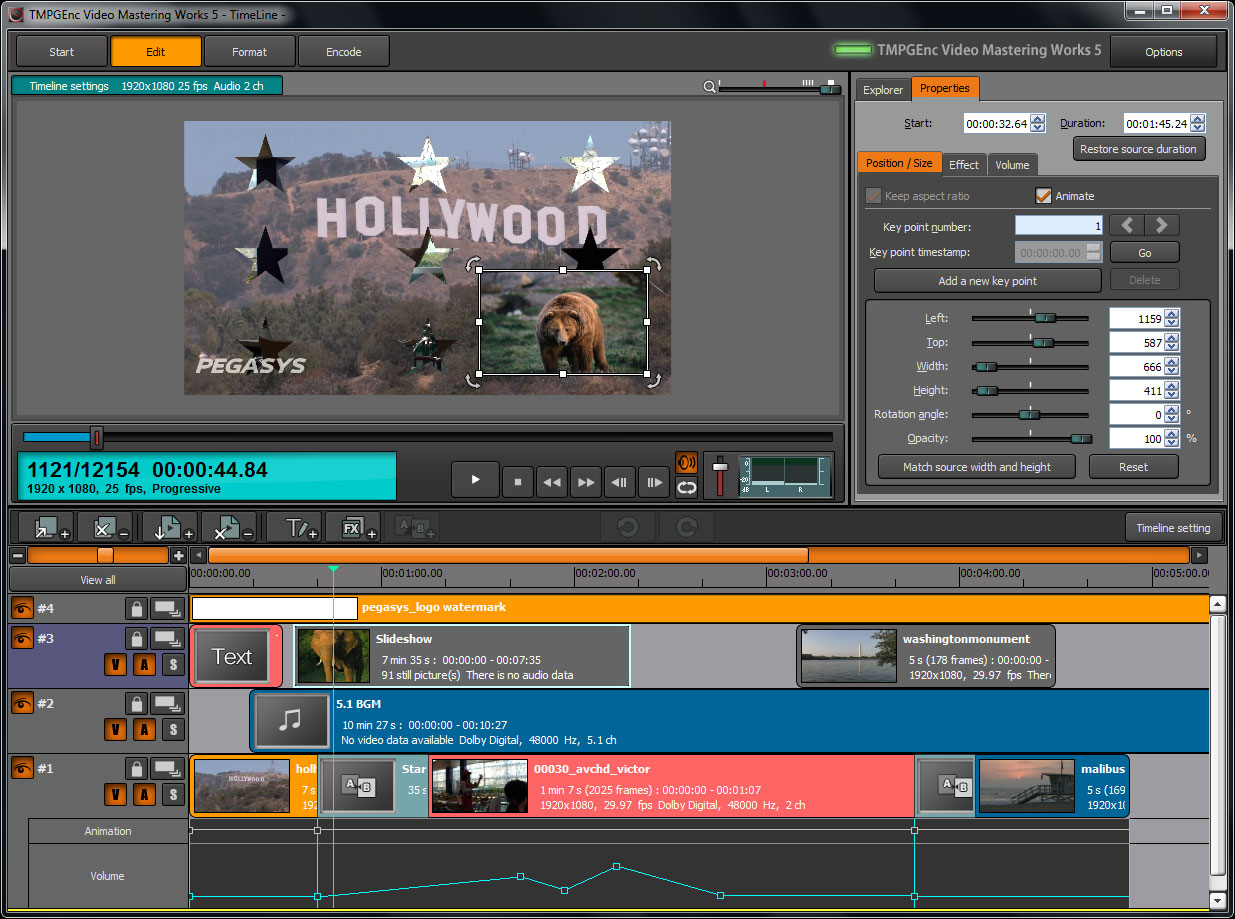
多種輸入和輸出格式支持、詳細參數設定、快速而精確的剪切編輯、視頻格式轉換、壓縮、視頻材料創建……眾多功能不可盡數!這就是TMPGEnc,編碼軟件的標準選擇,現在以TMPGEnc Video Mastering Works 5 最新版本重裝上陣!它提供全新時間線與層編輯功能,使得不僅創建視頻材料成為可能,還可以極具創意地對視頻進行原始處理並輸出為最適合的格式。
前一代的編碼軟件被人們用來對高質量視頻進行壓縮,使它們體積足夠小,以能塞入容量較小的硬盤驅動器,或者經常被用來滿足DVD視頻、藍光光盤或其他特定格式的需求。儘管這些需求今天仍然存在,但是互聯網視頻分享網站、提供視頻播放功能的移動便攜設備以及其他觀看視頻的方式已經成為人們使用編碼軟件的主要的、最經常的目的所在。
因此,TMPGEnc重新檢視了組成一個編碼軟件的要素,決定發布一個新的產品來響應那些新的需求。伴隨著新版增強的編輯與濾鏡功能、流行的MKV與WebM格式支持以及其他嶄新特性,TMPGEnc 的可操控領域極大擴展,成為一個完全意義上的編碼解決方案。
超越舊版 TMPGEnc 4.0 XPress 的功能:
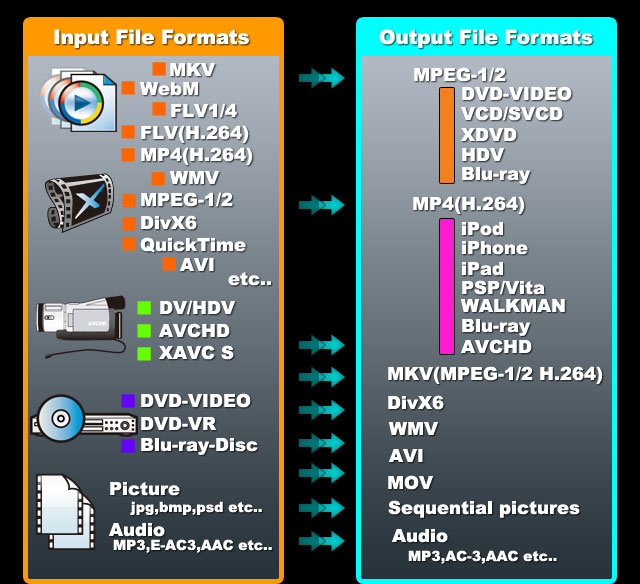
全新文件輸入支持:
MKV容器格式支持
包含H.264視頻流的FLV文件的原生支持
杜比數字+ 音頻支持
集成 HDV/DV 攝錄機捕獲功能
MPEG-2 TS 文件分析器,能識別多分辨率、多視頻流的視頻文件
導入文件時可自行選擇使用的文件閱讀器(源濾鏡)
支持單獨導入和處理音頻
支持隱藏式字幕或來源於MPEG-TS文件、藍光碟片、DVD等的字幕數據(當有多個字幕可選時)
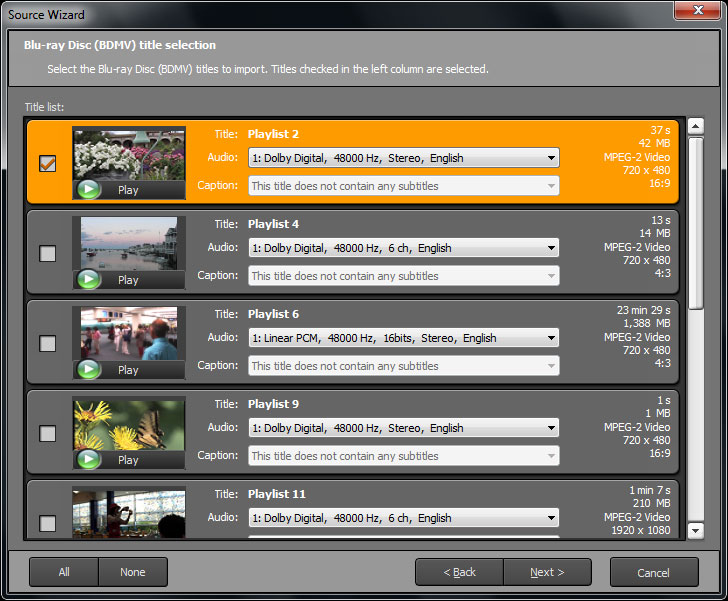
按標題導入藍光或AVCHD視頻
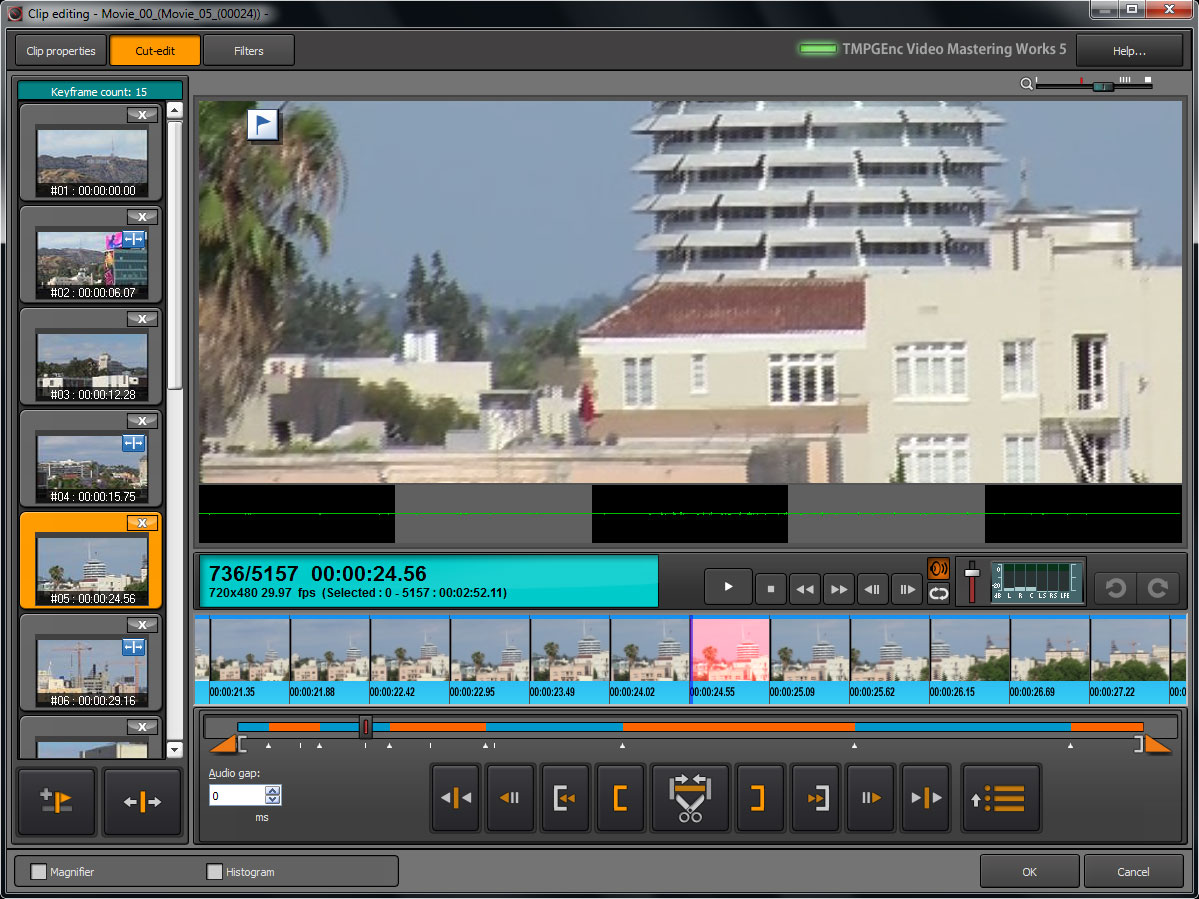
全新剪輯功能:
基於時間線的層編輯
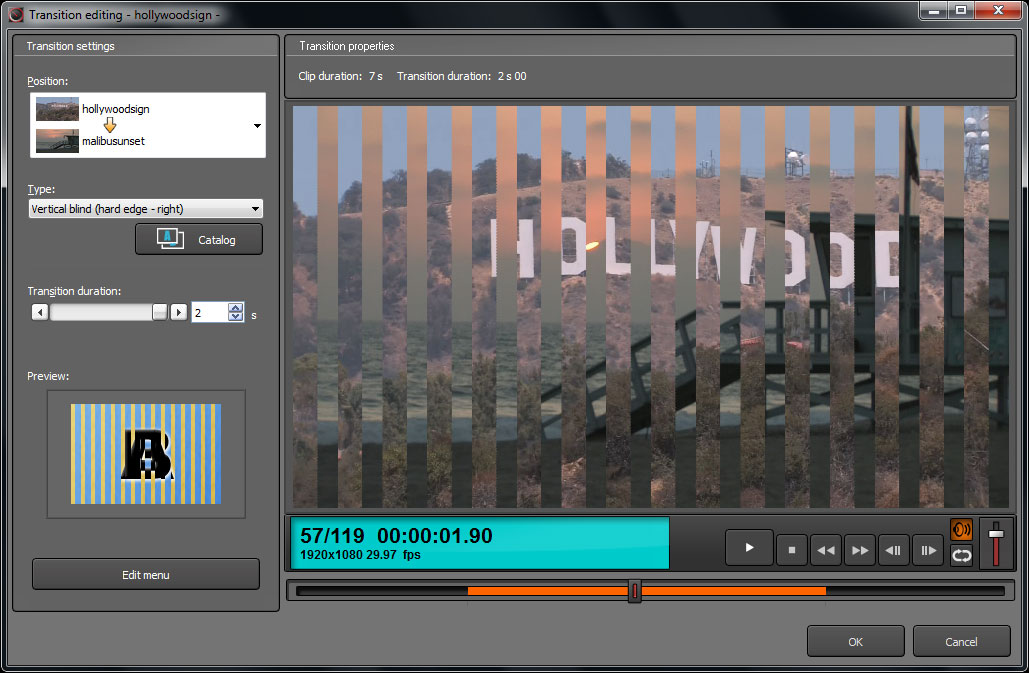
集成的素材轉場特效工具
設置播放時的局部模糊效果與馬賽克效果
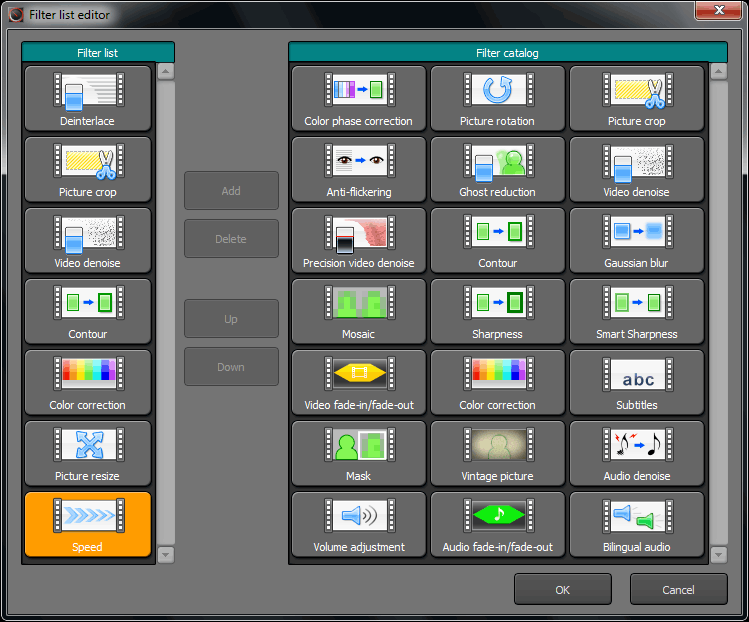
黑白片效果濾鏡
更改播放速度濾鏡
每個預覽頁面均有多通道音頻電平表
幾乎所有編輯窗口都有“撤銷”、“重做”選項
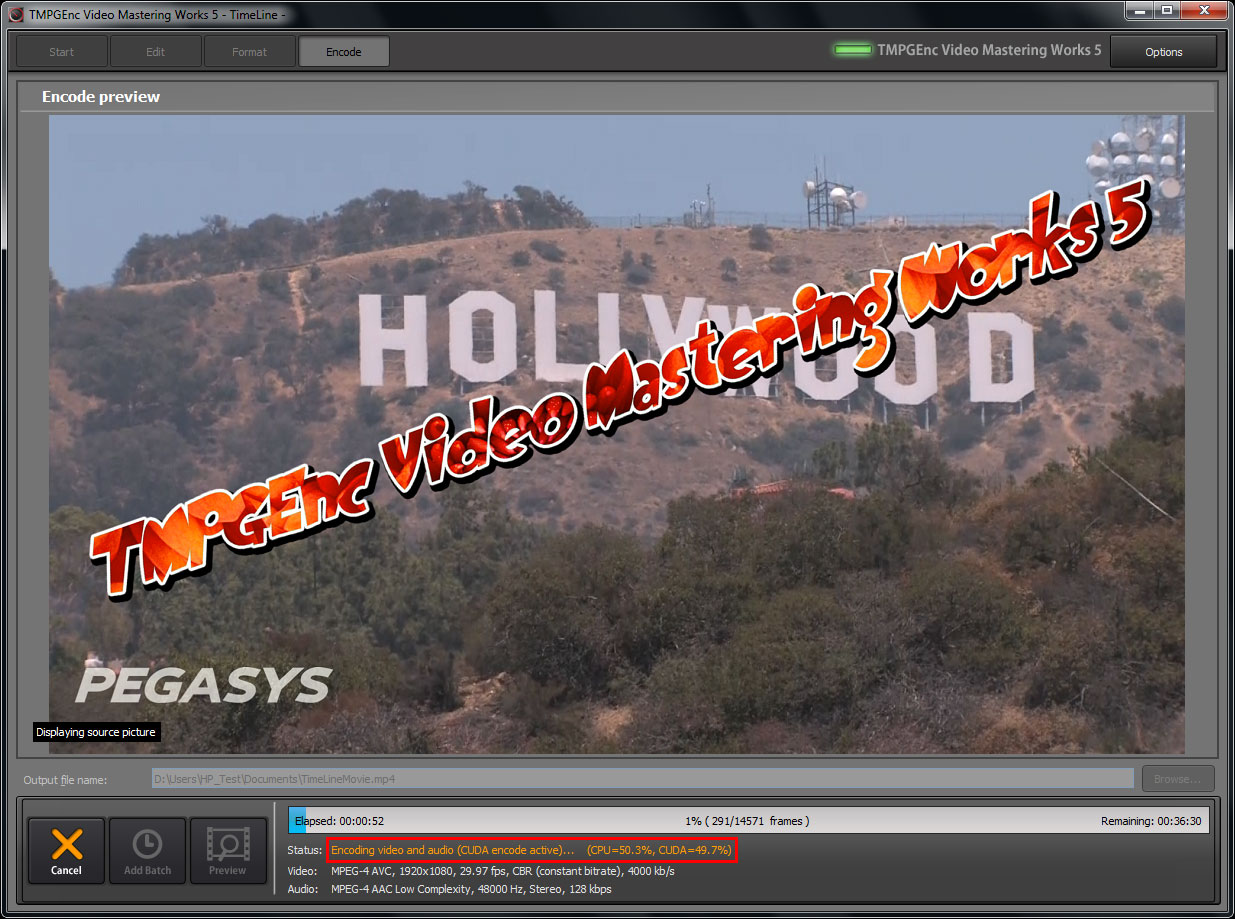
集成我們公司獨立開發的技術Intuitive Draw Technology,預覽時可以高速渲染。現在更可支持NVIDIA 顯卡的CUDA 解碼功能。
全新文件輸出支持:
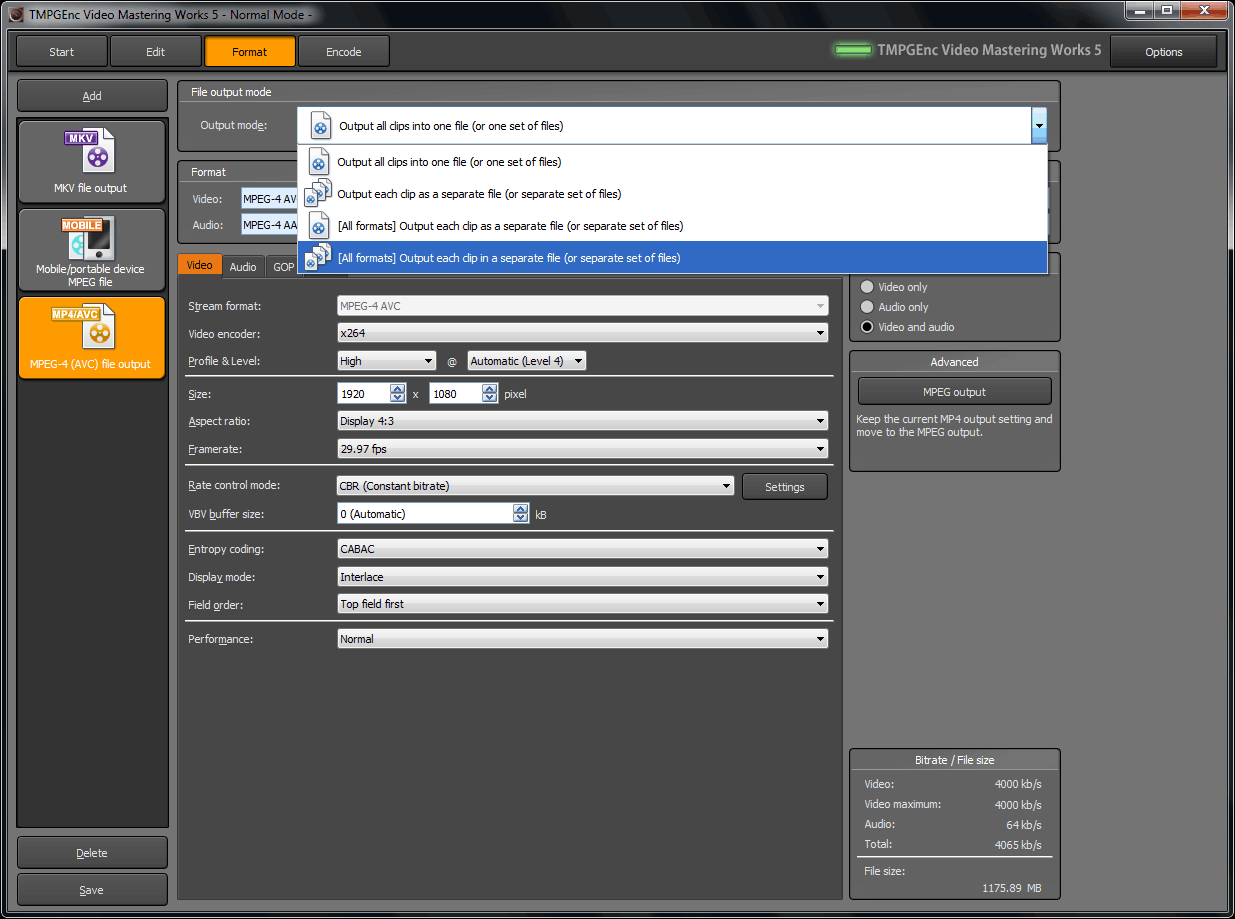
使用 x264 編碼器
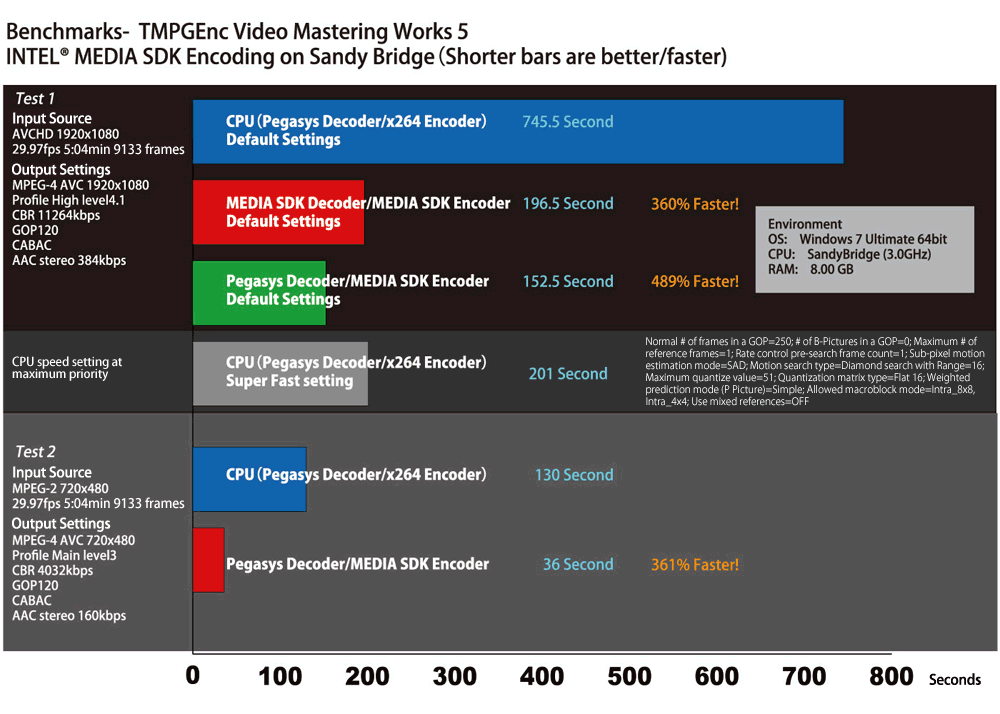
支持 Intel® Media SDK H.264 編碼器
支持帶CUDA 功能的NVIDIA 顯卡的硬件H.264 編碼。
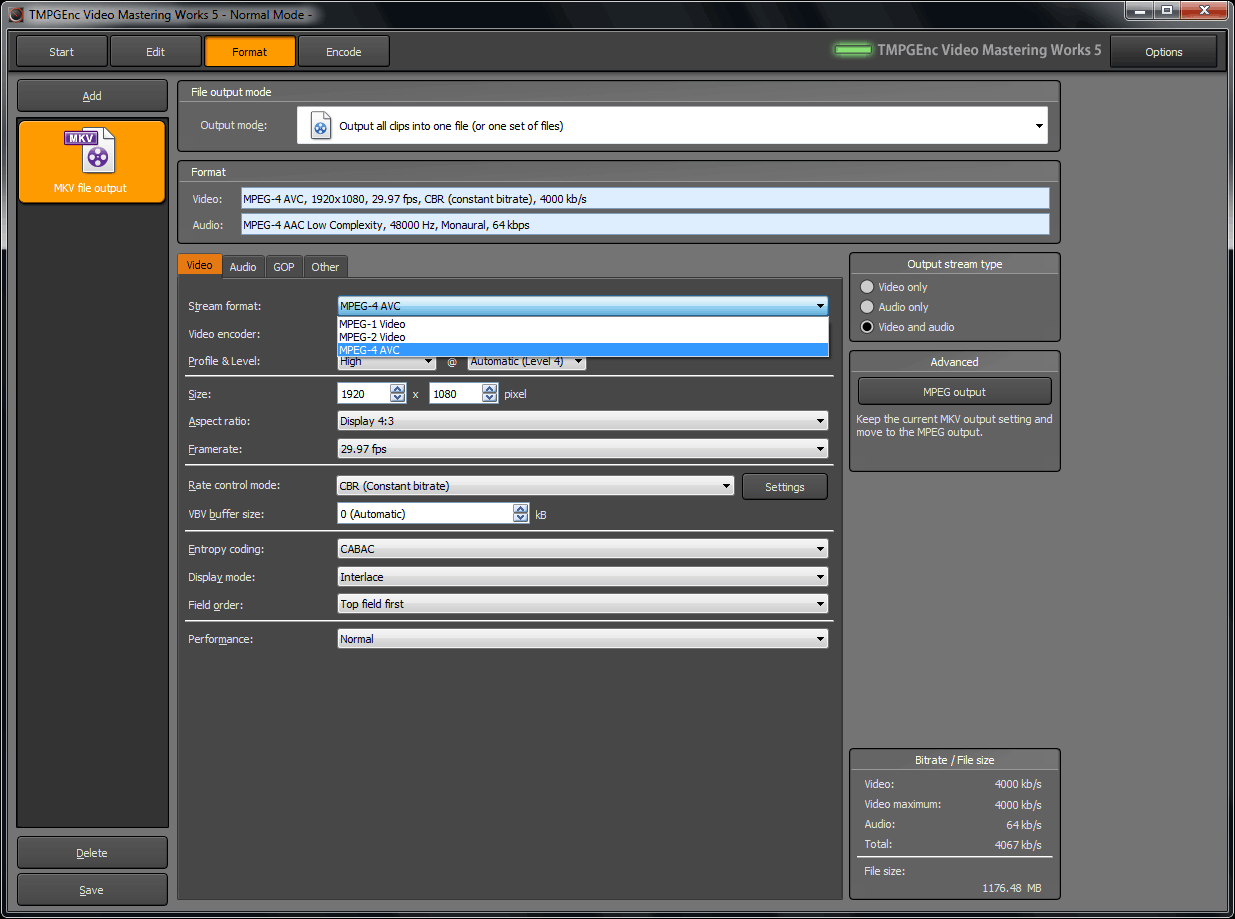
支持直接輸出為 MKV 容器格式。
其他新增功能:
在主窗口的任意項目階段,可通過Start-up 啟動器進入工具組件。
創建代理編輯文件功能
批處理編碼工具可最小化到系統托盤
What's News ( Version 5.1.1.52 - October 6, 2011)
http://tmpgenc.pegasys-inc.com/en/download/tvmw5_rireki.html
Improved
The Precision denoise filter accelerates much faster and reduces afterimages better than the prior version. Note that it is possible the filtering will not use CUDA acceleration depending on your computer environment since CPU acceleration related to the filtering can be much faster than that of some CUDA devices. In the case that the CPU is faster than the CUDA device, the CPU will be used.
Reference Data:
Input Source Info: 720x480 29.97fps (MPEG-2/mp2) 2229 frames
Output Format: DVD standard 720x480 29.97fps (MPEG-2+AC3)
Precision denoise filter enabled, "standard, strength 100"
■CPU: Core 2 Duo E6550 (2.33GHz), 2 cores, 2 threads
Encode time (Ver5.0.6.38): 7m 57s (when using CUDA GeForce9600GT: 4m 47s)
Encode time (Ver5.1.1.52): 4m 52s (when using CUDA GeForce9600GT: 3m 11s)
■CPU: Core i7 920 (2.67GHz), 4 cores, 8 threads
Encode time (Ver5.0.6.38): 6m 36s (when using CUDA GeForce 285GTX: 1m 31s)
Encode time (Ver5.1.1.52): 1m 54s (when using CUDA GeForce 285GTX: 1m 30s)
Precision denoise filter enabled, "standard, protect details"
■CPU: Core i7 920 (2.67GHz), 4 cores, 8 threads
Encode time (Ver5.0.6.38): 11m 59s (when using CUDA GeForce 285GTX: 3m 11s)
Encode time (Ver5.1.1.52): 2m 01s (CUDA not used)
Improved (Importation)
Some specific codecs that cannot decode interlaced MotionJPEG in AVI containers will no longer be used. This revision reduces the cause of the display picture being black upon entering the Edit / Filter windows.
When reading a Blu-ray via the Source Wizard, chapter names can now be read.
The framerate is now displayed for each title during TS file importation through the Source Wizard.
Corrected (Importation)
Could not get the program name when reading the file through the TS file reader.
Could not handle half and full-size-space characters correctly when reading ISDB type subtitles trough the TS file reader.
Would freeze when reading some specific FLV files.
On Windows XP, it could not decode some specific MPEG-4/AVC stream that didn't have a notification of the end of stream.
Took enormous amounts of time in order to read some specific MOV files when read though the QuickTime 7 file Reader.
When opening a project file and a "could not find source" error occurs, replacing the missing source file would not work properly. could not work correctly, in case of replacing with other materials since an error occurred such as could not find a clip or other materials, and also such the materials includes a image file or specifying video and audio separately.
Fixed a problem where video files read with the Media Foundation file reader would not display properly when fast-forwarding or rewinding in the cut-editor.
The QuickTime 7 file reader was improved and the following problems have been resolved:
■Brightness changed from the middle when reading a MOV file made from the AVID DNxHD codec
■Could not decode in the correct order of frames for MOV files shot with specific cameras.
■A sound gap would occur when reading some specific MOV files.
■Could not open MOV files containing only audio streams.
■TMPGEnc Video Mastering Works 5 would freeze when reading an MOV file without the codec despite requiring the codec to play.
The Source Wizard's Blu-ray/DVD/TS analysis reading function was corrected, and the following problems have been resolved:
■Could not correctly read specific character strings such as program information when reading a Blu-ray file (BDAV).
■Could not correctly read data containing two or more STC sequences when reading a Blu-ray file (BDAV).
■Would sometimes not perform correctly when getting the duration of the title when reading a Blu-ray file (BDAV).
■A divide by zero error might occur if there was a lot of garbage data in the MPEG stream header when reading a Blu-ray file (BDAV).
■Titles might not be included in the title selection when reading a Blu-ray file (BDAV) which contains 50p or 60p video data.
■Upon reading Blu-ray (BDAV/BDMV) data, the operation might be overly intensive due to unnecessarily checking at the end of the file when reading the last subtitle data.
■Could not read only a part of specific BDAV/BDMV data when reading a Blu-ray file (BDAV/BDMV).
■The thumbnail image in the title list would not be displayed correctly when reading a Blu-ray file (BDAV/BDMV).
The MPEG file reader was improved and the following problems have been resolved:
■When reading Dolby Digital Plus audio, a memory leak would occur.
■When previewing Dolby Digital Plus audio from the file head, there would be no sound.
■When opening an MPEG file which contains several types of audio formats, they would sometimes not be reflected in the list for the audio stream selection.
■Would refer a wrong proxy file when specifying.
■Would mistakenly recognize the size as 1920×1088 when reading a 1920×1080 H.264 MOV file.
When decoding AAC audio which switches the channel mode in the middle, a noise would occur at the switching point.
When reading specific FLV files, the picture would become black and the time would not display correctly.
When reading AAC audio which switches the channel mode in the middle, a audio gap would occur at the switching point.
When the audio packets did not include audio-data in the file head, the FLV file reader would incorrectly identify the type of audio.
Corrected (Output)
The MPEG-4 AVC (H.264) encoder engine (x264) has been updated.
Upon outputting JPEG files, the component Id within the SOF0 segment was not correctly marked.
Could not correctly display the error when the commit size approached the 4GB memory size during encoding with the x264 encoding engine.
When an exception would occur in the internal encoder, there would be no notification of the details of the exception.
Depending on the timing, it was possible that Memory Access Errors would occur when starting multiple simultaneous encodes from AAC audio or FLV files as the source materials.
Would output invalid files when outputting an H.264/AVC file using the Intel Media SDK encoder and the number of reference frames was set as "1".
If the source file was an H.264/AVC stream with a multi-slice picture field, it could not be multiplexed into an MP4/MKV.
Could not control the VBV buffer correctly when multiplexing some specific MPEG-2 video streams.
When the baseline profile was selected for MPEG-4/AVC output, some advanced settings that should be fixed were changeable.
When CUDA was enabled, the QuickTime file output would be choppy.
A QuickTime file encoded as a MOV was not displayed correctly in some environments.
The value of the average bitrate would change immediately in response to other numerical inputs even if it was changed in the encoding/bitrate settings for output such as MPEG or MKV.
Changed (Output)
When using the x264 encoder, the aspect ratio is now based on the 2005 H.264 standards instead of the 2009 standards since some players still cannot interpret the 2009 standard.
Corrected (Playback, editing, filters)
Noise would appear on a picture when the width/height was not a multiple of 16 when using the Precision Denoise Filter through CUDA.
The Mask filter's (type: Blur) set strength value would revert to the default value when the filter window was re-opened.
After selecting 24fps as the Deinterlace mode, an error would occur when the source aspect ratio was changed in the clip settings.
The vintage picture filter was unable to be used when SSE2 or later was enabled in the CPU settings. Also, an error occurred when it was used in an environment where multi threading acceleration for filtering was enabled.
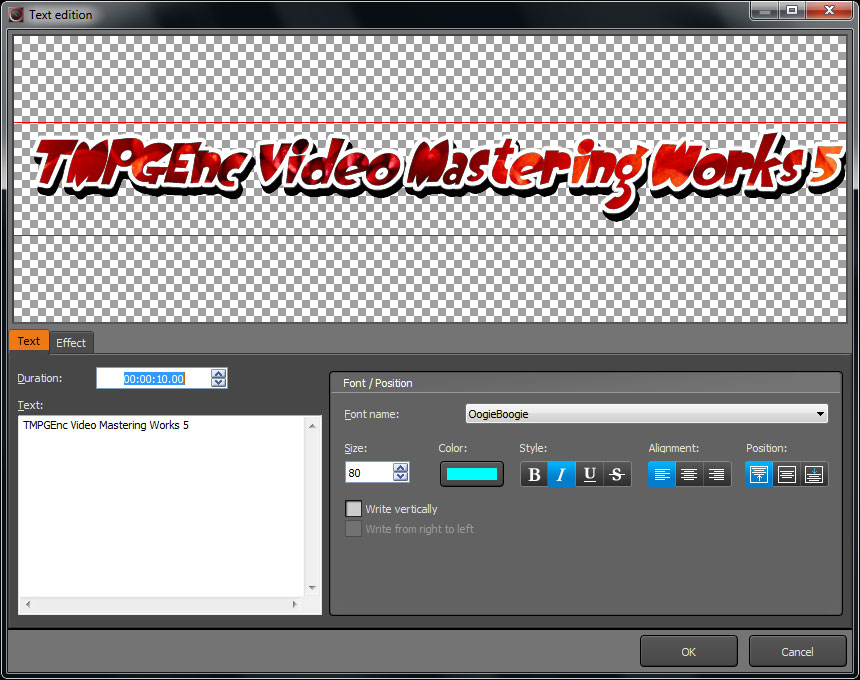
In the subtitles filter, the characters would display at a shifted position when a specific layout setting was used.
The mask when added through the mask filter would not be deletable by using the DEL key or specifying the unmask range.
In the audio properties window of the clip properties, pressing the ESC key would apply changes to the channel mode setting.
Even though thumbnail would be disabled, the high-speed thumbnail navigation would still work with the Ctrl + number keys.
On a PC which had not been restarted for a long time, an error occurred at startup when trying to edit a project that was previously registered in the batch encode tool.
In the explore view function of the timeline window, a sample format error occurred when playing a source with a width or height of 2048 or more.
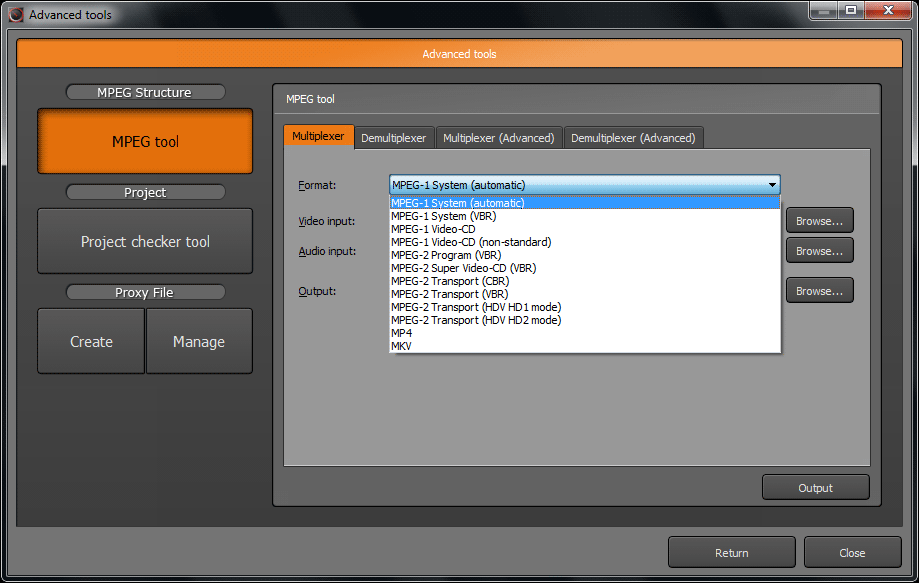
When inputting an MPEG-4 file into the Multiplexer(advanced) in the MPEG tool, the default output format would be MKV.
Corrected (Other)
A canceled job still remained in the batch encode tool when the tool was re-opened.
When editing a long clip in the timeline window at maximum magnification, making changes to the volume level caused an extraordinary increase in processing activity.
In cases where network hardware equipment had been replaced since the last license validation, a license validation prompt would be executed again.
An deadlock would occur in communication between TMPGEncVMW5Encoder.exe and the main exe.
On environments where there is an H67/Z68 chipset and dual monitors, the CUDA functions could not be used depending on the connection settings.
In cases where the batch encode tool had been reopened from the taskbar, the tool would not accept the adding of project files by drag-and-drop.
Even though the MPEG extension setting had been changed in the preferences, the setting would revert without being stored properly.
Other minor corrections.
System Requirements
OS
Windows 7-32/64 bit (Home Premium / Professional / Ultimate);
Windows Vista SP1 (Home Basic / Home Premium / Business / Ultimate) *SP2 recommended;
Windows XP SP3 (Home / Pro / Media Center);
Recommended for timeline editing: Windows 7-64 bit (Home Premium / Professional / Ultimate);
*Except for Windows 7, 64 bit versions of operating systems are not supported.
CPU
Minimum: Intel® Pentium® III 1.0 GHz, AMD® Athlon™ MP, Athlon XP or better. (With SSE support);
Recommended: Intel Pentium 4 2.0 GHz, AMD Athlon 64 / Opteron (With SSE2 support);
For better performance: Dual Core, Quad Core, multiprocessor, Intel HT technology, SSE3, SSSE3, SSE4;
Recommended for timeline editing: at least Core 2 Duo/Quad 2.4 GHz or equivalent.
*Provided the processor supports the SSE instruction set, other processor models are acceptable.
RAM
1024 MB or more (More than 2048 MB including the page file);
Recommended for timeline editing: 2048 MB;
*This software may not be usable with computers having only 1024 MB of available memory (ex: memory shared with the graphics card). In this case, increase the amount of memory. Refer to your computer's documentation and/or contact your computer vendor for more information regarding memory increases.
HDD space Installation: 300 MB;
Recommended: 10 GB;
High definition: 50 GB.
HDD
format NTFS recommended
*FAT32 formated volumes do not allow an output file size higher than 4 GB. Preferably, set the output to a NTFS formated volume. If your computer's internal or external hard disk drive is formated in FAT32 format, it may be possible to convert it into a NTFS volume. Refer to the hard disk drive documentation or contact the maker.
Screen resolution
Minimum: 1024×768;
Recommended for timeline editing: 1920×1080.
Video card
Recommended for timeline editing: At least GeForce GT 240 with CUDA support or better.
Other Software
Windows Media Player 9 or a more recent version;
DirectX 9c or a more recent version;
QuickTime Player 7 or a more recent version.
Network
Access to the Internet required for periodic online validation
URL : http://tmpgenc.pegasys-inc.com/en/product/tvmw5.html
Size:113.98 MB
Info Hash:1aae6627bef2bb08375a0b3e3b0c021d2f4c5cbc